Want more customers? Learn how to do SEO for your restaurant and dominate local search results. This comprehensive guide provides proven strategies, actionable tips to get you started.

Having a strong online presence is crucial for any restaurant’s success. When people search for places to eat, they turn to the internet, specifically Google.
What is Restaurant SEO?
Restaurant Search Engine Optimization (SEO) is the process of making sure your restaurant shows up at the top of the search results when someone searches for something related to your restaurant. Effective restaurant SEO can lead to increased visibility, more customers, and ultimately, more sales.
Restaurant SEO Tips
Here are some easy, high-impact SEO tips you can implement today to boost your restaurant’s onl ine visibility and attract more diners:
1. Optimize Your Website for Local Search
Improve website’s user experience (UX). Make sure your website is mobile-friendly. Improve navigation by making it simple, and using separate pages for different aspects of your business (menu, reservations, etc.). Most importantly, make sure it loads quickly. You can use Google’s Page Speed Insights tool to test your website’s speed.
Use relevant keywords throughout your website content, including in your page titles, headings, and descriptions. You can focus on location-specific keywords like “best pizza in [city]” or “vegan restaurants near [neighborhood]”
Publish your menu using text so search engines can easily crawl it. Avoid using a PDF or JPG for your menu because this is difficult for search engines to read.
Add alt text to images. This is a short description of the image that helps search engines understand what the image is about.
2. Keyword Research
Identify your target customers. You need to know who your target customers are to form an effective SEO strategy. If you don’t, you risk wasting money focusing on the wrong audience. Your target audience represents your ideal customers who are likely to visit and enjoy your offerings.
Target the right keywords. Relevant keywords are specific words or phrases potential customers might use to search for businesses like yours, or closely related topics. These search terms can be related to your restaurant’s name, location, cuisine type, and unique selling points.
Identifying and optimizing for these keywords can help your restaurant show up in search results when people look for places to eat that match what you offer.
Look at your competitors. This will show you what keywords are already driving traffic to restaurant websites like yours.
Use keyword research tools. Tools like Google Keyword Planner can help you identify the right keywords to target.
Incorporate keywords naturally into your website content. This includes your page URLs, title tags, headings, and body text.
Check out this list of free keyword research tools
2. Implement Local Business Schema
Use the Local Business schema type for your restaurant. This code can help Google understand and display important information about your restaurant in search results. This can include information like your menu URL, opening hours, and contact information.
Add your Restaurant Details Using Schema Markup. Schema markup is like a special language that helps search engines understand key information about your restaurant. While it may sound technical, there are simple ways to add this to your website:
If you use WordPress, install a plugin like “All in One SEO” or “Yoast SEO” which can automatically create schema markup for you. These plugins have simple forms where you can enter your restaurant’s information without touching any code.
For other website platforms like Wix or Squarespace, this feature is usually built in – just make sure you’ve filled out all your business information in your website’s settings.
3. Leverage the Power of Online Reviews
Online reviews are essential for building trust and credibility. They can also influence your search engine ranking. Encourage customers to leave reviews on your GBP, Yelp, and other relevant platforms.
You can add a call to action on your website and social media pages asking customers to leave reviews. This should make it easy for customers to leave reviews It is also common practice for restaurants to offer a small incentive for customers who leave reviews.
Most of all, respond to all reviews promptly and professionally. Thank customers for positive reviews, and address negative reviews in a professional manner.
4. Build High-Quality Backlinks
Backlinks are links from other websites to your website. They are a valuable signal to search engines that your website is trustworthy and authoritative.
There are several ways to build backlinks. You can first submit your restaurant to local directories and community sites.
Reach out to food bloggers, different types of influencers, and food critics and invite them to review your restaurant. There is a large online audience for food content, and almost every type of influencer dabbles in food content. For example, fashion influencers may film content in cafe’s or endorse food as part of their “get ready with me” and “day in the life” content.
5. Make Your Google Business Profile (GBP) Stand Out
Your Google Business Profile (GBP) is one of your most valuable assets. It’s often the first thing potential customers see when they search for your restaurant. A complete and optimized GBP can significantly increase your visibility and attract more customers. Here’s how to make yours stand out:
Complete all sections of your profile. This includes your restaurant name, address, phone number, website, hours of operation, cuisine type, and photos. NAP or Name, Address, and Phone is the most important part of your profile. Using GBP makes sure it is consistent throughout sources.
Adding high-quality photos of your restaurant’s interior, exterior, and menu allows customers to visualize the store’s concept, and vibe. Internet users are often attracted to restaurants and cafes where they can take pictures and upload it to their social media.
6. Create Relevant Online Listings
Create listings on various platforms. Make sure to create listings on Google, Yelp, Tripadvisor, and other relevant platforms.
Submit to local directories and community sites. Every community has online directories, noticeboards, or review sites where you can list your business to connect with customers and generate valuable backlinks.11
Ensure consistency. Make sure the information provided in all your listings is consistent, especially your name, address, and phone number (NAP). You can use Google Business Profile to manage your NAP data in one place and distribute it to various directories.
7. Stay Up-to-Date
The world of SEO is constantly changing. Stay informed about the latest trends and updates to ensure your restaurant SEO strategy remains effective.
By following these tips, you can improve your restaurant’s online visibility, attract more customers, and grow your business. Remember that restaurant SEO is an ongoing process; stay consistent with your efforts and you will see results.
Set Up Your Restaurant Website That Ranks
Having a website for your restaurant is crucial for any success in the restaurant industry. Without a strong online presence and an integrated ordering system, your business risks falling behind.
Sure, you could partner with a delivery service like Just Eat, but they don’t just take your orders—they take a more sizable cut of your profits. With razor-thin margins, paying 30% commission to a service that doesn’t care whether your business sinks or swims is a recipe for failure.
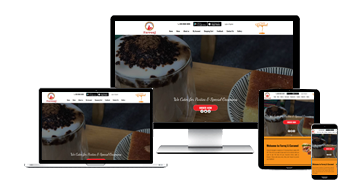
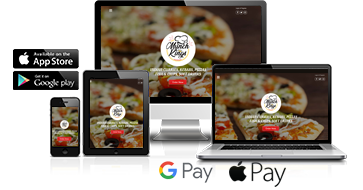
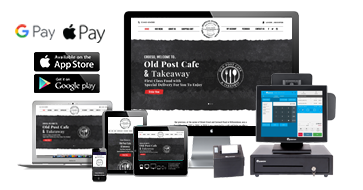
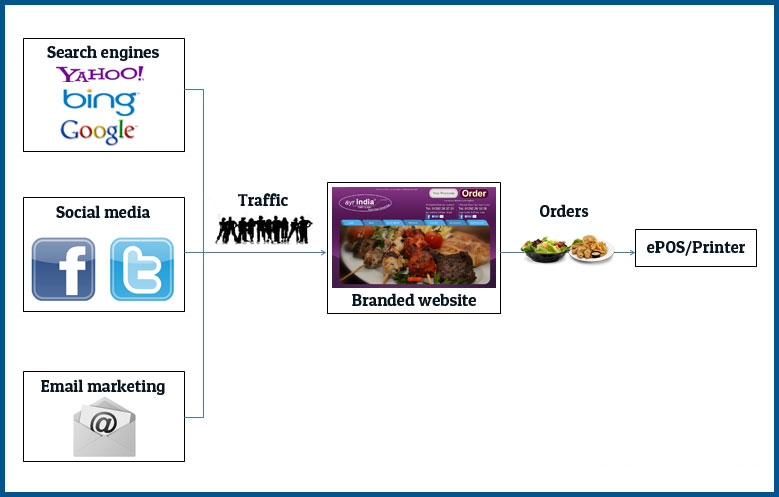
Thankfully, there’s a better solution. Join us at eTakeawayMax and let us build you a stunning, custom-branded website that is SEO-optimized so customers can find your business from search engines. Plus, take advantage of our innovative online ordering system and more features designed to maximize your order flow and boost your profits.
Get a unique, branded website that showcases your restaurant, attracts hundreds of new customers, and keeps them coming back for more.
You’ll receive:
- A branded website
- Online Ordering System
- Table Reservation Feature